

Microsoft 365 Excel All-In-One for Dummies
Microsoft 365 Excel All-In-One for Dummies
Biographical Note: This book collects bestselling Excel content from the For Dummies series, including selections from Microsoft 365 Excel For Dummies (David H. Ringstrom), Microsoft Excel Dashboards & Reports (Michael...
Vendor
For DummiesType
Print BooksBinding
Spiral BindingCouldn't load pickup availability
People are viewing this right now
Details
Shipping & Returns
Reviews (0)
FAQ
|
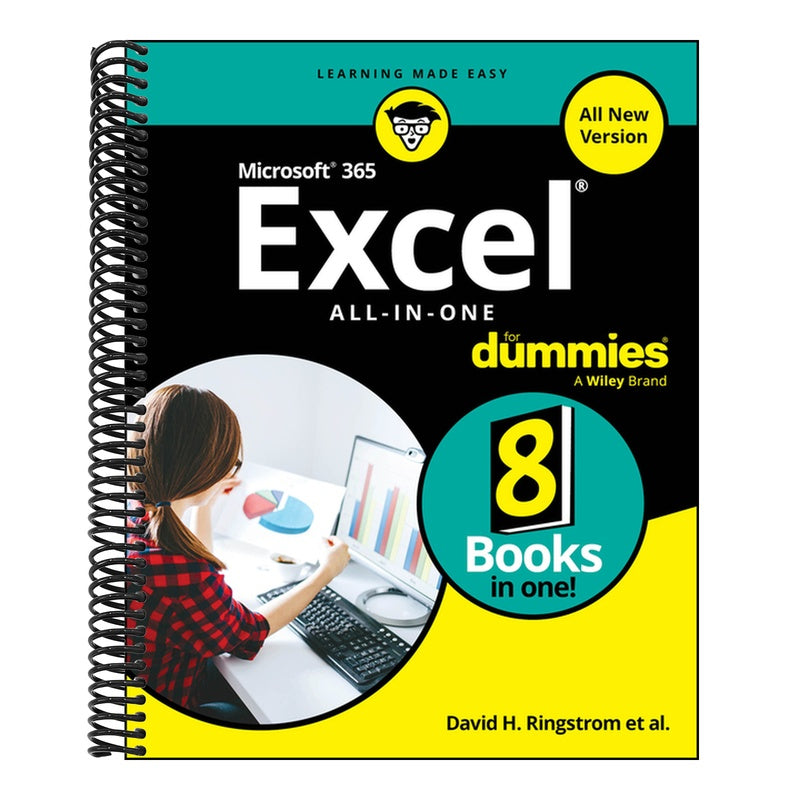
Biographical Note: This book collects bestselling Excel content from the For Dummies series, including selections from Microsoft 365 Excel For Dummies (David H. Ringstrom), Microsoft Excel Dashboards & Reports (Michael Alexander), Microsoft 365 Excel Formulas & Functions For Dummies (Ken Bluttman), Microsoft Excel Power Pivot & Power Query For Dummies (Michael Alexander), Microsoft Excel Data Analysis For Dummies (Paul McFedries), Excel Macros For Dummies (Dick Kusleika). Jacket Description/Back: Your essential guide to Excel expertise Almost every job and profession requires digging into an Excel spreadsheet from time to time. You can spend hours of trial and error figuring out how to make Excel work for you, or jump right to the answers you need with the help of this book. This collection of Excel insight walks you through the basics of spreadsheet creation and dives into creating next-level formulas, data visualizations, and analysis. It's the roadmap to unleashing the Excel guru inside of you! 8 Books Inside...
Table of Contents: Introduction 1 Book 1: Getting Started with Excel 5 Chapter 1: Getting Started with Spreadsheets 7 Chapter 2: Carrying Out Basic Calculations 31 Chapter 3: Formatting Cells and Worksheets 53 Chapter 4: Organizing Data and Creating Tables 79 Chapter 5: Navigating Worksheets and Workbooks 113 Book 2: Working with Formulas and Functions 129 Chapter 1: Tapping Into Formula and Function Fundamentals 131 Chapter 2: Saving Time with Function Tools 161 Chapter 3: Building Array Formulas and Functions 177 Chapter 4: Fixing Errors in Formulas 191 Book 3: Going Farther with Functions 207 Chapter 1: Calculating Loans, Interest, and Depreciation 209 Chapter 2: Performing Functional Math. 241 Chapter 3: Working with Date and Time Functions 271 Chapter 4: Manipulating Text with Functions 291 Book 4: Analyzing Data 317 Chapter 1: Using Basic Data Analysis Techniques 319 Chapter 2: Working with Data Analysis Tools 343 Chapter 3: Analyzing Table Data with Functions 365 Book 5: Summarizing, Visualizing, and Illustrating Data 377 Chapter 1: Creating Charts 379 Chapter 2: Creating and Using PivotTables 391 Chapter 3: Performing PivotTable Calculations 413 Chapter 4: Building PivotCharts 435 Book 6: Reporting and Querying Data 455 Chapter 1: Introducing Power Pivot 457 Chapter 2: Advanced Moves with PivotTables 469 Chapter 3: Working Directly with the Internal Data Model 499 Chapter 4: Adding Formulas to Power Pivot 513 Chapter 5: Meeting Power Query and Its Connection Types 531 Book 7: Creating Dashboards and Reports 559 Chapter 1: Getting in the Dashboard State of Mind 561 Chapter 2: Building a Super Model 575 Chapter 3: Dressing Up Your Data Tables 619 Chapter 4: Formatting Your Way to Visualizations 635 Chapter 5: Displaying Performance against a Target 663 Book 8: Automating Excel with Macros and VBA 679 Chapter 1: Macro Fundamentals 681 Chapter 2: Getting Cozy with the Visual Basic Editor 701 Chapter 3: The Anatomy of Macros 715 Chapter 4: Working with Workbooks 729 Index 753 Publisher Marketing: Get into the nitty gritty of Excel, the all-important spreadsheet tool Microsoft 365 Excel All-in-One For Dummies offers an all-new way to tackle data in Excel. Start with the basics of inputting, formatting, and organizing data and work your way to pro techniques that help with any career field or reason for using the app. Gain the skills to apply advanced formulas and functions, create stunning data visualizations, build dashboards and reports, and automate your spreadsheets. You'll also get a glimpse into how AI tools can boost your work. Eight mini-books come together in this expanded Excel reference. With Microsoft 365 Excel All-in-One For Dummies, you'll soon be the go-to Excel guru in your office or school.
This book is perfect for professionals or students who need to up their Excel game with insight from pros who know the classic spreadsheet app inside and out. |
Author: Ringstrom, David H
Publisher: For Dummies
Binding: Paperback
Pub Date: 2025-09-09
BISAC: Computers / Business & Productivity Software / Spreadsheets|Computers / Data Science / Data Visualization
Subjects: Electronic spreadsheets|Computer programs|Handbooks and manuals
Weight: 2.4 lbs
ISBN: 9781394344635
ASIN: -
SKU: SP-9781394344635
Shipping Information: Free delivery on all orders over $45, arrives within 3–5 days, you can also choose expedited shipping
Returns Information: 30-day return policy begins once the item ships, we cover the round-trip shipping costs for returns caused by quality issues (Return Address: 8039 S 192nd ST, STE 120, Kent, WA, 98032)
Exchanges Information: The new order will be processed once the old order is in transit back to the warehouse. Customers will only be charged for the old order if it has not been returned to the warehouse within 14 days
After-Sales Service: Simply email your requirements to support@westbindery.com, and we will process them as soon as possible upon receipt
Customer Service: Online 24/7, we recommend contacting us via email as a first choice, though you can also chat with us online
Value-added service: If you are giving the books as a gift, we also offer gift-wrapping services
Warranty Service: At West Bindery, we are committed to providing you with nothing but the best. We want you to be completely satisfied with your purchase. That's why all West Bindery books come standard Within 30 days warranty
Q: How do I track my order?
A: Order Tracking InformationOnce your order has been placed and processed, you will receive a confirmation email containing your order details. This email will include:
- A tracking number
- A link to our tracking page
How to Track Your OrderClick on the tracking number link in your confirmation email.
Important Notes: Tracking information may not be immediately available after you place your order. It can take up to 36 hours for the tracking number to activate in our system. If no updates are visible right away, please check back later.
Q: What if my package gets lost or arrives damaged?
A: Lost packages: At West Bindery, we strive to ensure every order reaches you in perfect condition. In the event that your order is lost during transit, please reach out to our customer support team here with your order number and any relevant details.
Damaged packages: Please report to our customer support team here within 24 hours of receiving the order and include photos of the damaged items or package. We will review the provided documentation and, if necessary, arrange for a replacement or issue a refund.
Q: Can I change my shipping address after my order is submitted?
A: Unfortunately, we’re unable to change the shipping address once your order has been submitted. If you’ve entered the wrong address, please contact us at support@westbindery.com as soon as possible—we’ll do our best to help before your order ships.
Q: What happens if I accidentally ordered multiple copies of the same book?
A: If you have accidentally ordered multiple copies of the same book, you can return the excess copies by following our return process. Please ensure the items are in their original condition and returned within the 90-day window from the shipping date. Upon receipt and inspection of the items, if the refund is approved, it will be processed on your original payment method. Visit our return center and follow the provided instructions to ensure a smooth and timely return.
Q: I received an incomplete order, what should I do?
A: How to Report an Incomplete Order: To help us address your concern, please follow these steps:
- Email our support team at support@westbindery.com with:Your order numberThe email address associated with your order
- Let us know which item(s) is/are missing from your order.
What Happens Next: Our team will verify your order and investigate the issue. We will contact you within 1 business day with an update or resolution, including sending the missing item(s) or other suitable options.